Free to View
Instant Results
Mobile Friendly
Records from 1987
What is TNREGINET EC View?
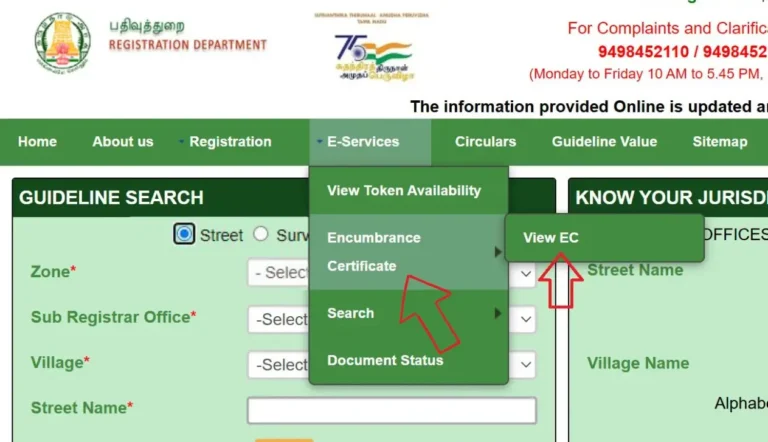
TNREGINET EC View is the online feature on the official Tamil Nadu Registration Department portal that lets you view the Encumbrance Certificate of any property. EC stands for Encumbrance Certificate and it shows the complete registered transaction history of a property from 1987 onwards.
Using TNREGINET EC view you can check if a property has any loans, mortgages, court attachments, or ownership transfers registered against it. This is one of the most used features on the TNREGINET portal because property buyers, banks, and legal professionals need this information regularly.
The best part is that basic EC view on TNREGINET is free and you can do it from your phone or laptop without visiting any office.
What You Can See in TNREGINET EC View
When you view EC on TNREGINET, the portal shows you a detailed history of all registered transactions for that property. Here is what appears on screen:
| Field | What It Shows |
|---|---|
| Owner Name | All current and previous registered owners |
| Document Number | Unique registration number of each transaction |
| Transaction Type | Sale deed, mortgage, gift deed, partition, release etc. |
| Registration Date | Date when each document was registered |
| Property Value | Consideration amount for each transaction |
| Encumbrance Status | Nil means no pending dues or loans on property |
How to View EC on TNREGINET Step by Step
Open TNREGINET Official Website
Open your browser and go to tnreginet.gov.in. This is the official Tamil Nadu Registration Department website. Always use this URL directly to avoid fake lookalike websites.
Login to Your Account
Click Login at the top right corner and enter your username and password. If you are new, click Register and create a free account using your mobile number. OTP verification takes under a minute.
Go to EC View Section
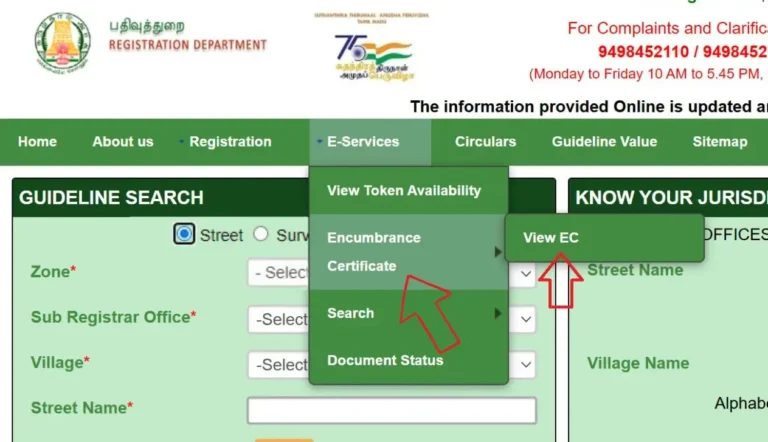
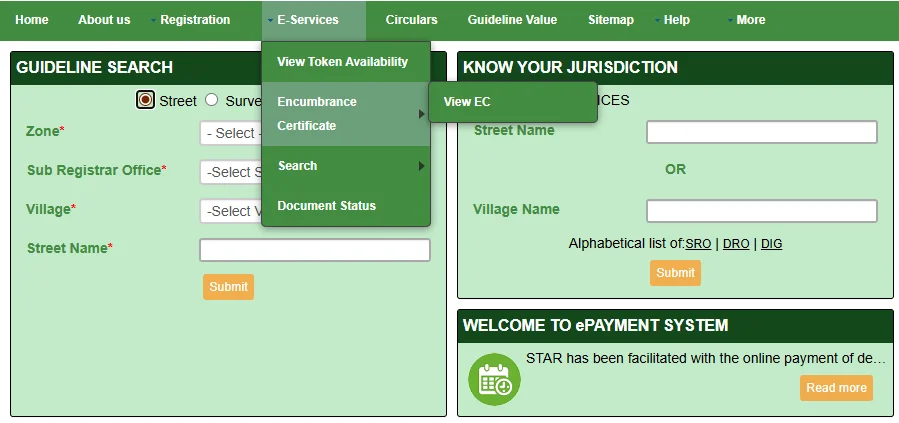
After login look for Encumbrance Certificate or EC View in the main menu. On some versions of the portal it appears under the Services section. Click on it to open the EC search page.
Enter Property Details
Fill in the search form with these details:
- Zone and District of the property
- Sub-Registrar Office (SRO) name
- Village name where property is located
- Survey number of the property
- From Date and To Date for EC period
Click Search and View EC
Click the Search button. TNREGINET will load the EC details for your property. You can now view all the registered transactions on screen. This is your EC view result.
Download EC as PDF
After viewing the EC details click Download or Print to save the EC as a PDF. If the download is not working allow popups for tnreginet.gov.in in your browser settings and try again.
Two Ways to Search EC on TNREGINET
The TNREGINET portal gives you two options to search for EC. Choose the one that works best for the information you have.
Option A — By Property Details
Use this when you have the survey number and village details. Enter Zone, District, SRO, Village, and Survey Number. Best for checking EC of land or plot.
Option B — By Document Number
Use this when you have the registration document number. Enter the document number and year of registration. Faster and more accurate if you have the document handy.
Important: TNREGINET EC view shows records from 1987 onwards only. If your property was registered before 1987 you will need to visit the Sub-Registrar Office in person to get the older records.
Common Issues with TNREGINET EC View
📚 Related Guides You May Find Helpful
- EC Online Tamil Nadu 2026 – Complete guide to view and download EC free on TNREGINET portal.
- TNREGINET Login and Registration – Create your free account and login to access EC view.
- Villangam Certificate Tamil Nadu – Apply for property encumbrance certificate online.
Frequently Asked Questions
Conclusion
TNREGINET EC view is one of the most useful features for anyone dealing with property in Tamil Nadu. It is free, fast, and available 24 hours. Follow the steps above to view your property EC online and download it as a PDF in just a few minutes. For any issues contact the TNREGINET helpdesk.