Quick answer: To check your TNREGINET document status, log in at tnreginet.gov.in, open the E-Services or dashboard section, and enter your application or reference number. The portal then shows a status such as Pending, Processing, Approved, Returned, or Payment Pending. Most Encumbrance Certificate and certified-copy applications take roughly 2 to 7 working days, depending on your Sub-Registrar Office workload.
A TNREGINET document status check is what you need when you applied on the portal days ago and are still refreshing your inbox wondering whether it went through. This is one of the most common questions people have after using the Tamil Nadu Registration portal, because the confirmation email tells you an application was received but not what is happening to it now.
This guide walks through exactly where to find the status tracker, what each status word actually means in plain terms, and what to do when an application seems stuck. Keep your application number or reference number handy before you start, since almost every tracking method needs it.
Which applications can you track?
Not every TNREGINET service is trackable in the same way. It helps to know which bucket your application falls into before you go looking for a status.
Certified applications that go to a Sub-Registrar Office for manual verification are the ones you actually track over several days. These include a certified Encumbrance Certificate, certified copies of registered documents, property document registration, and marriage, birth, or death record services. A free EC view, a guideline value check, or a stamp duty calculation is instant and needs no tracking, since the result appears on screen right away.
Good to know: If you only did a free on-screen EC view, there is nothing to track. Tracking applies to paid or verification-based applications where an officer has to review and sign off. If you are unsure which you did, check whether you paid a fee and received a reference number: that combination means it is trackable.
How to do a TNREGINET document status check
The tracker sits inside your logged-in account on the official TNREGINET portal. Here is the shortest reliable path:
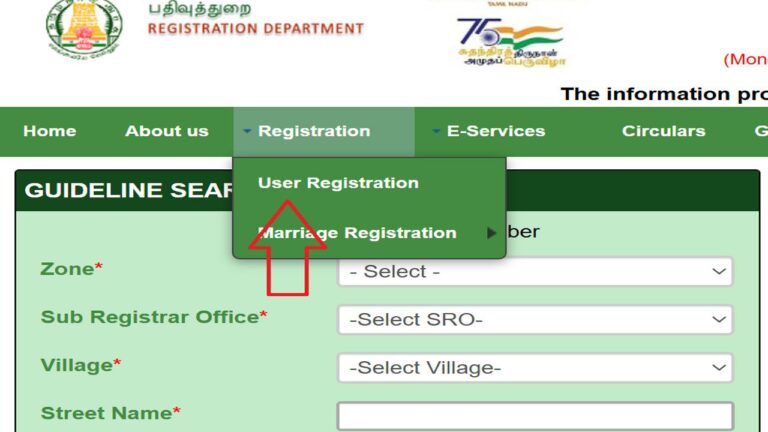
- Open the official portal. Go to tnreginet.gov.in in your browser. Use this address directly, since several lookalike sites copy the design.
- Log in to your account. Enter the username and password you registered with. Tracking a certified application needs a login; you cannot see it while logged out. If you are locked out, our TNREGINET login and registration guide covers password resets and OTP problems.
- Open E-Services or your dashboard. Look for a status or application-tracking option under the E-Services menu, or in the applications list on your dashboard.
- Enter your application or reference number. Type the number from your acknowledgement exactly as shown, then search. Even one wrong digit returns a “not found” result.
- Read the current status. The portal displays a status word and, once complete, a download link for eligible documents.
If you would rather not log in every time, keep a note of your reference number somewhere safe. It is the single most useful thing to have when you contact the Sub-Registrar Office or the helpline about a delay.
What each status actually means
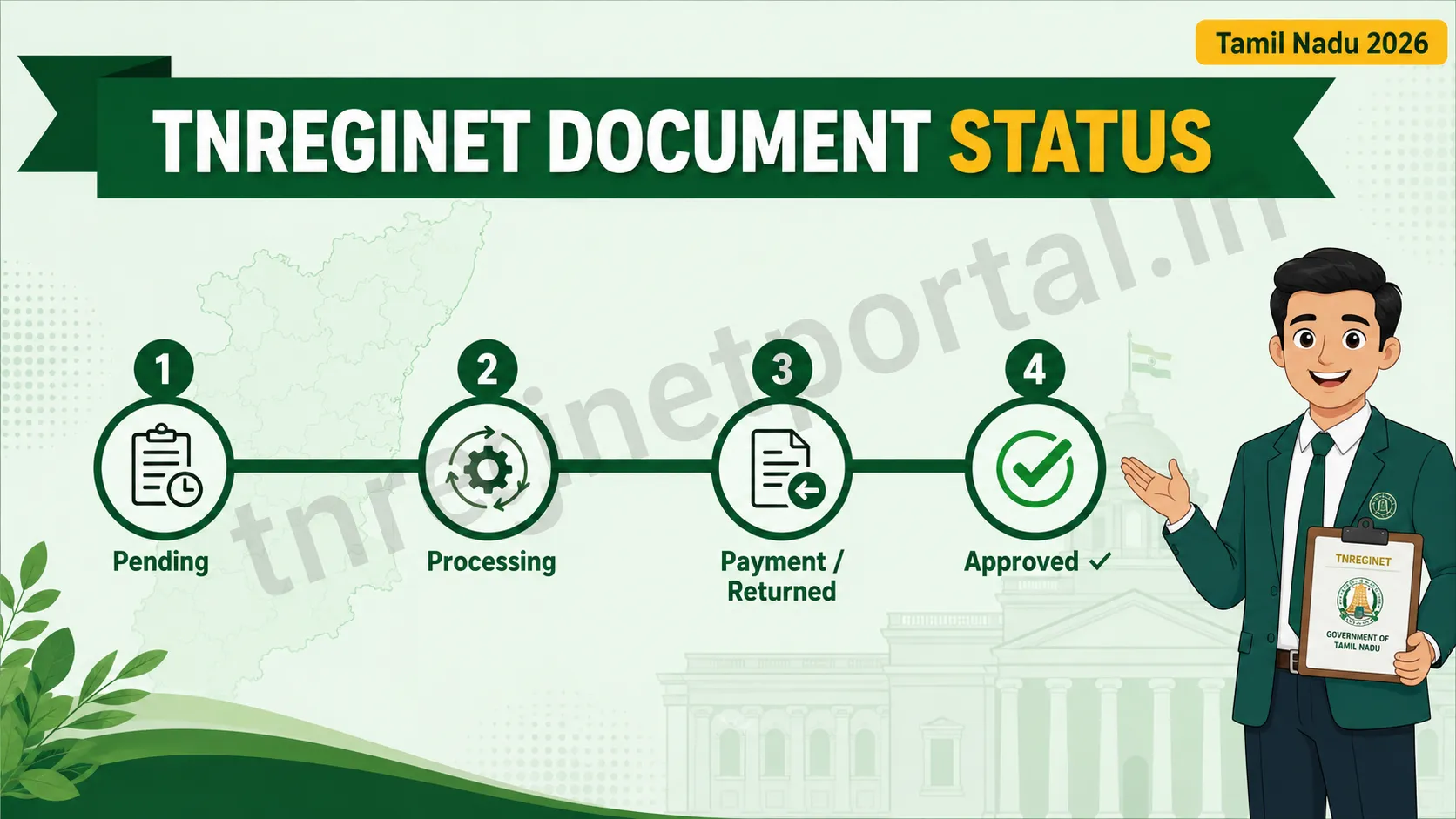
The status words are short, and the portal does not explain them. Here is what each one really tells you and whether you need to act.
| Status | What it means | Do you need to act? |
|---|---|---|
| Pending | Your application is in the queue but has not been picked up for review yet. | No. Wait and check again in a day or two. |
| Processing | An officer has started verifying your records at the Sub-Registrar Office. | No. This is normal progress. |
| Payment Pending | Your fee did not complete, so the application is on hold. | Yes. Complete or retry the payment to move it forward. |
| Returned | The office sent it back for a correction, usually a wrong detail or unclear document. | Yes. Fix the flagged issue and resubmit. |
| Approved / Digitally Signed | Verification is done and the document is ready with the officer’s digital signature. | Yes, the good kind. Download it from your account. |
The two statuses that catch people out are Payment Pending and Returned, because both look like the system is doing something when it is actually waiting on you. If your status has not moved in several days, one of these is the likely reason.
How long does approval usually take?
For a certified Encumbrance Certificate or certified copy, expect roughly 2 to 7 working days once the Sub-Registrar Office begins verification. The timeline stretches longer in a few common situations: when the period you searched includes transactions before 1987, when records for that area are not fully digitised, or simply when the office has a heavy backlog. Property registration is different, since the final step needs everyone present in person at the SRO for biometric verification, so the online status only tracks the stages up to that appointment.
Note: Processing timelines shown here are typical estimates as of writing and can vary by office and workload. Treat them as a rough guide rather than a guarantee, and confirm current turnaround directly with your Sub-Registrar Office if timing is critical.
Application stuck? Here is what to check
If your TNREGINET document status check shows no movement, do not assume something has gone wrong yet. Run through these in order, because most “stuck” applications are one of these five things.
1. Wrong or mistyped reference number. A “not found” result is far more often a typing slip than a lost application. Re-enter the number carefully, checking for a swapped 0 and O or a 1 and l.
2. Payment did not go through. If money left your bank but the status still says Payment Pending, note the bank transaction or CIN reference and check the status again after a few hours before retrying, so you do not pay twice.
3. It was returned for a correction. A Returned status means a detail needs fixing. Open the application, read the reason, correct it, and resubmit rather than starting fresh.
4. Records are older or offline. Pre-1987 or non-digitised records take longer and sometimes need an in-person visit to the office. A slow status here is not a fault.
5. Genuine backlog. If the number is correct, payment is confirmed, and it is simply sitting, give it a few working days, then contact the Sub-Registrar Office where you applied with your reference number in hand.
When you do reach out, contacting the specific SRO where you applied is far more effective than the general helpline, since that office holds your file. Keep your reference number and payment details ready so they can find your application quickly.
Frequently asked questions
Can I check my TNREGINET status without logging in?
For a certified application such as a paid EC or certified copy, no. You need to log in to your account to see its progress. A free on-screen EC view has no status to track, since the result shows immediately.
My status says “Digitally Signed” but I see no download button. What now?
Refresh the page, or log out and back in. If the button still does not appear, clear your browser cache or try a different browser such as Chrome. Once a document is digitally signed, it is ready, so this is almost always a display glitch rather than a problem with the document itself.
I applied but my application number returns “not found.”
Re-check every character of the number first. If it is correct and still not found, the application may not have been captured, often due to an incomplete payment. Verify your payment status, and if money was deducted, contact the SRO with your transaction reference.
Does an approved EC downloaded from TNREGINET work for a bank loan?
Yes. A digitally signed EC from the official portal carries the Sub-Registrar’s encrypted signature and is accepted by banks in Tamil Nadu. You can download and reuse it once the status shows Approved. See our guide on viewing and downloading your EC certificate for the exact steps.
Can I track a property registration the same way?
You can track the online stages, but the registration itself is completed in person at the SRO with biometric verification. Our Tamil Nadu property registration guide explains the full sequence.
In short
A TNREGINET document status check comes down to this: log in at the official portal, open E-Services or your dashboard, and enter your reference number to see where your application stands. If it is Pending or Processing, wait; if it is Payment Pending or Returned, act on it; and once it is Approved or Digitally Signed, download your document. If it stays stuck after a few working days, contact the exact Sub-Registrar Office where you applied with your reference number ready. For anything official, always work from tnreginet.gov.in directly.
Related services
EC Online Tamil Nadu: Apply for and view your Encumbrance Certificate on TNREGINET.
TNREGINET Login & Registration: Create an account or fix login and OTP issues.
Property Registration Tamil Nadu: The full step-by-step registration process and charges.
Last updated: July 2026. This is an independent guidance website and is not the official TNREGINET portal. For official applications and current details, always use tnreginet.gov.in.